
Every attack contained means no recovery event to manage.
No matter how attackers evolve their tactics, ransomware must ultimately encrypt files — and that's the one chokepoint Quell controls, stopping every known and unknown variant before it causes real damage.
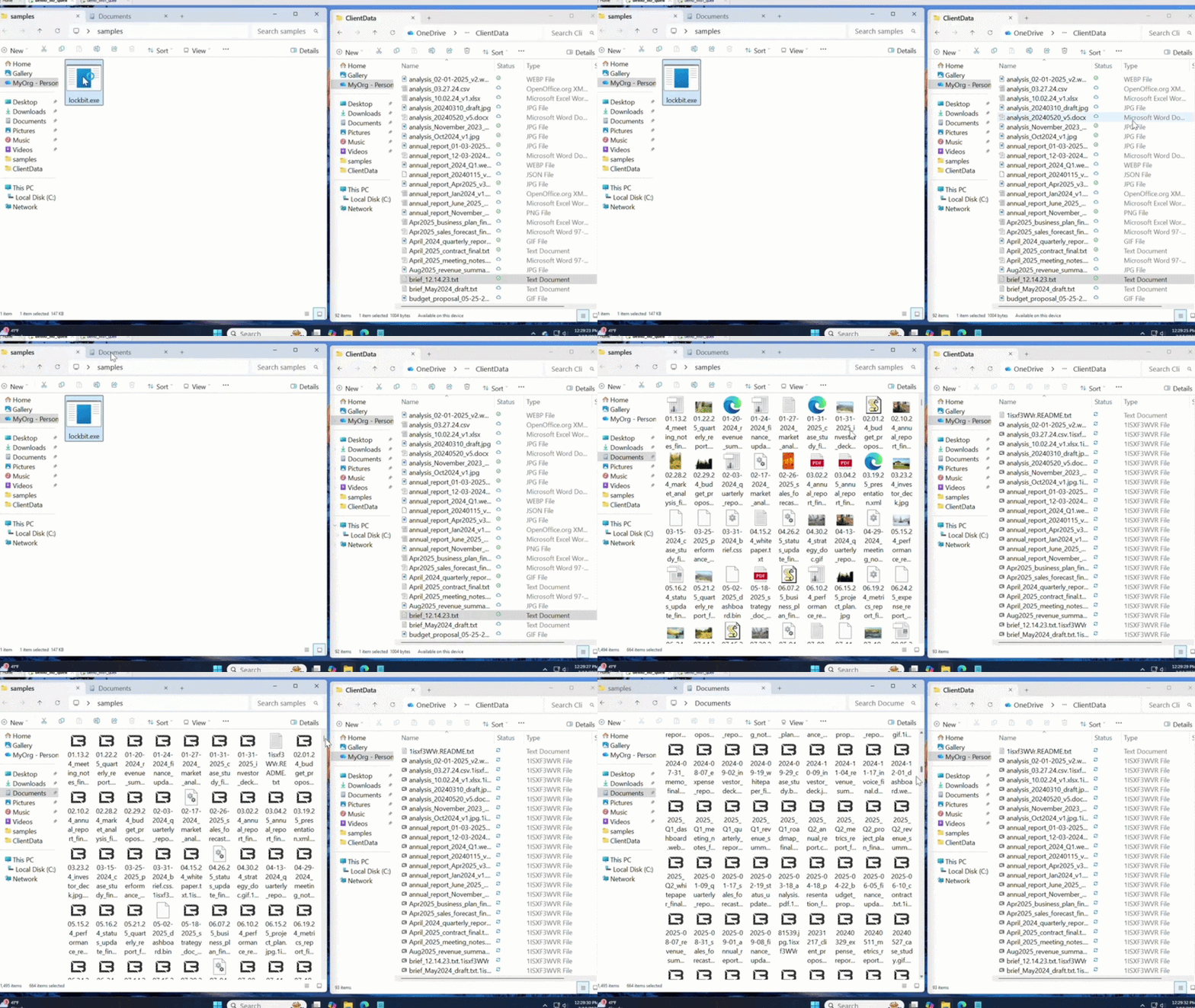
AI Accelerates New Ways In Fast.
We Shut Them Down Faster.
The attack surface is widening faster than traditional tools can keep up. Containment isn't optional anymore.
9%
of companies recovered in less than a day
65%
of companies had backups fail
88%
of ransomware victims are SMBs
Containment makes recovery a non-event.
AI will keep producing new, faster ways to breach a network. That arms race doesn't end. Active Containment® isn't another detector trying to keep pace with it. It's a new kind of recovery, one that ensures you never go down at all, replacing the 24+ hours most organizations spend on backup, recovery, and restoration with a stop that happens in the first 9 files.
Using Quell Couldn't Be Easier
Take a closer look inside Quell. Simple to set up, and just as simple to maintain
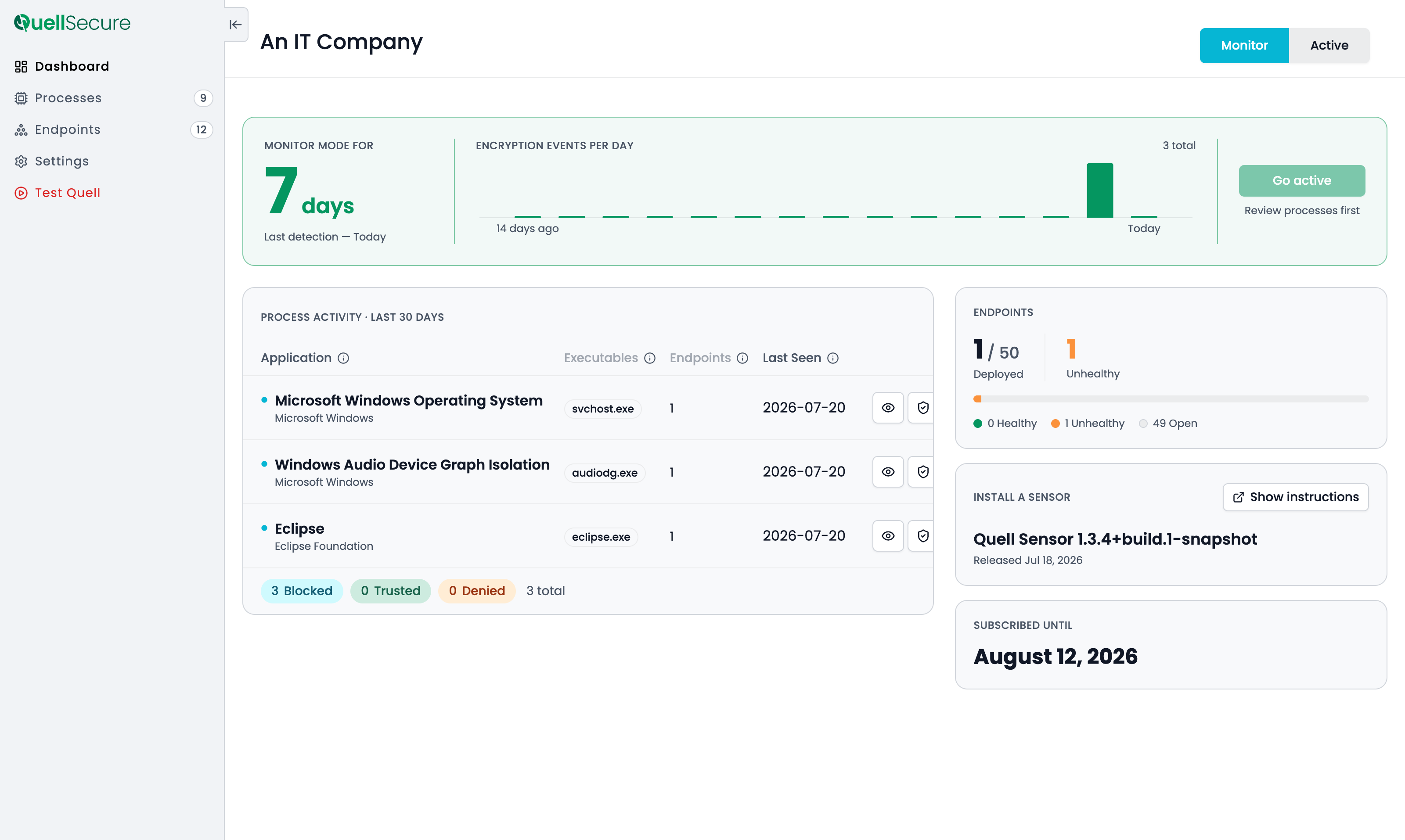
See Your Ransomware Posture at a Glance
One dashboard shows you everything the moment you log in:
- Encryption events trended over time
- What tried to encrypt, and exactly which files it reached
- Process activity for the last 30 days
- Endpoint deployment and health across your fleet
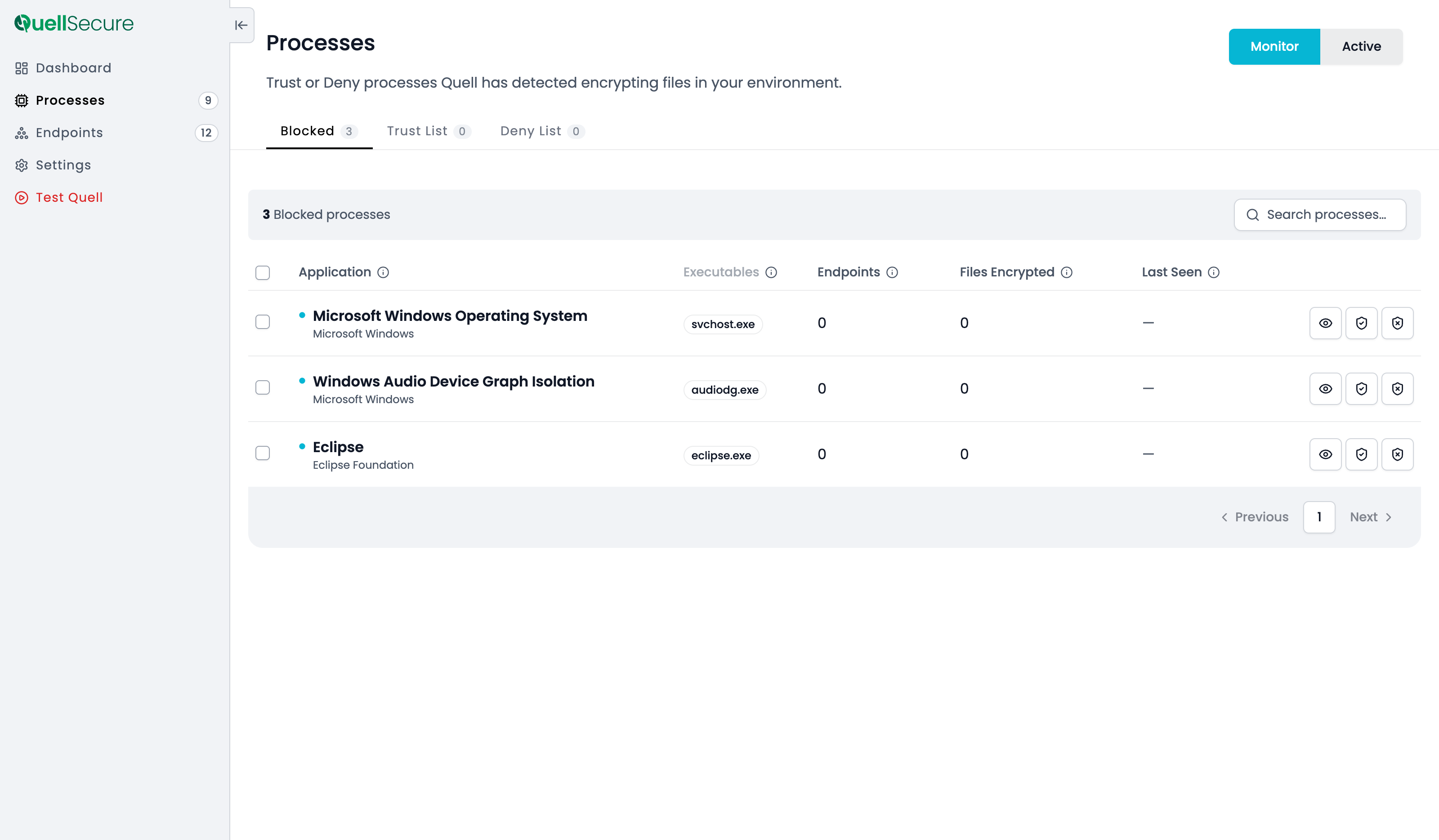
Reduce False Positives with Monitor Mode
Quell's Monitor Mode lets you see exactly which processes would trigger containment — without any disruption. Every flagged process shows up on the Processes page, so you can review it, trust it, or leave it for later.
Once you've cleared the noise, switch to Active Mode with confidence. From there, threats are contained automatically, in real time.
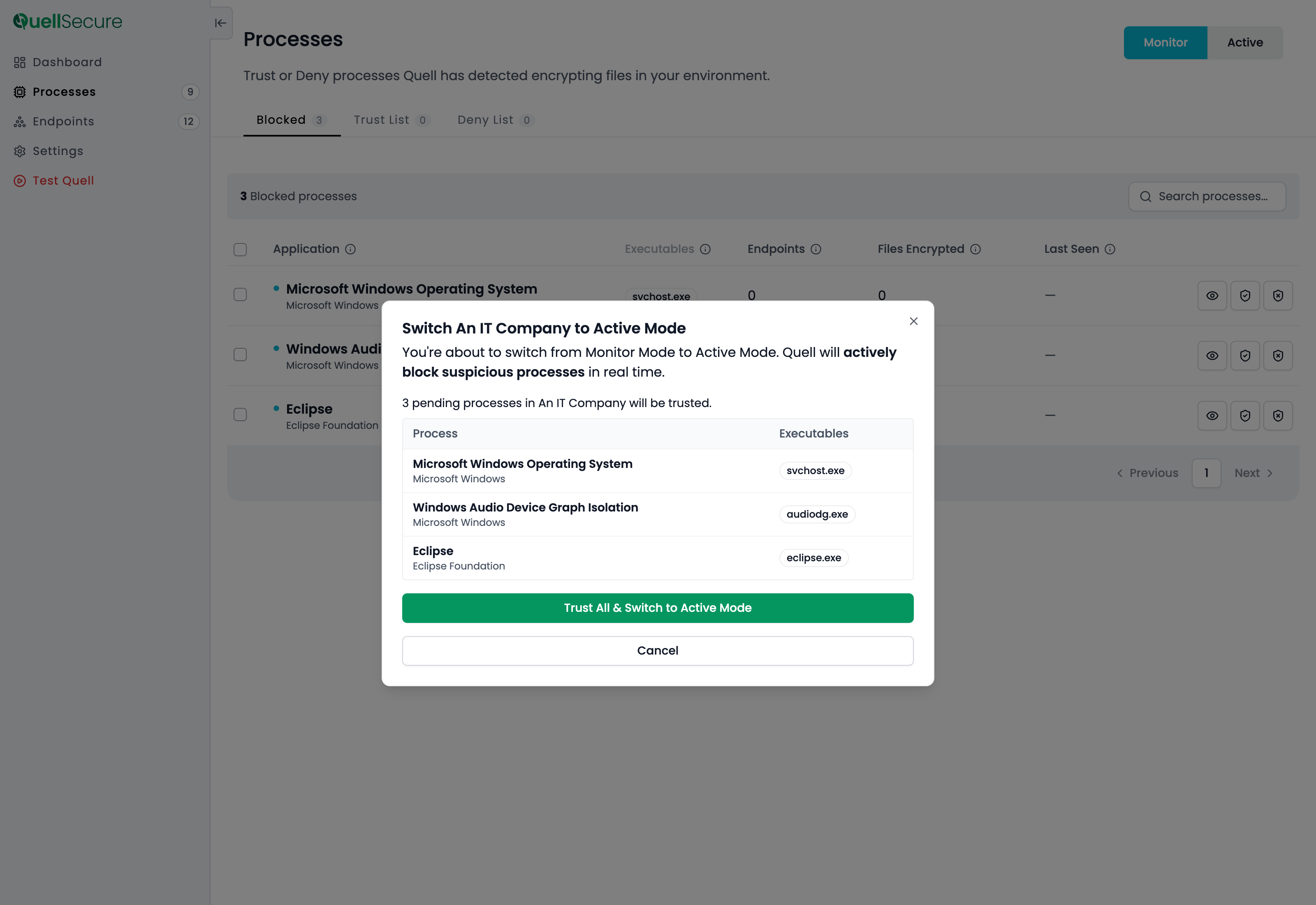
Block Threats Instantly in Active Mode
Switching to Active Mode takes one click, and carries over everything you've already trusted — so there's no flood of alerts on day one.
From there, any process that starts encrypting files is blocked instantly. Your team is notified in real time, and can trust or deny any process organization-wide with a single click.
Test Quell with a Mock Attack
Once Quell is configured, run Test Quell — a simulated, safe end-to-end detection that proves everything is working, without encrypting a single real file.
- Explore Quell's features
- Confirm that you'll receive notifications
- Prove Quell is functional on the endpoints you choose to test

Machine-speed containment for zero-risk to downtime.
Designed to run invisibly alongside your existing tools — zero disruption, maximum protection.
1%
CPU utilization, imperceptible to users and applications
~200 MB
Memory utilization (RAM), low footprint, enterprise-grade performance
~20 MB
Via endpoint management tool for Windows 11, deploys in under an hour
30 μs
Essentially imperceptible to users and applications
.svg)